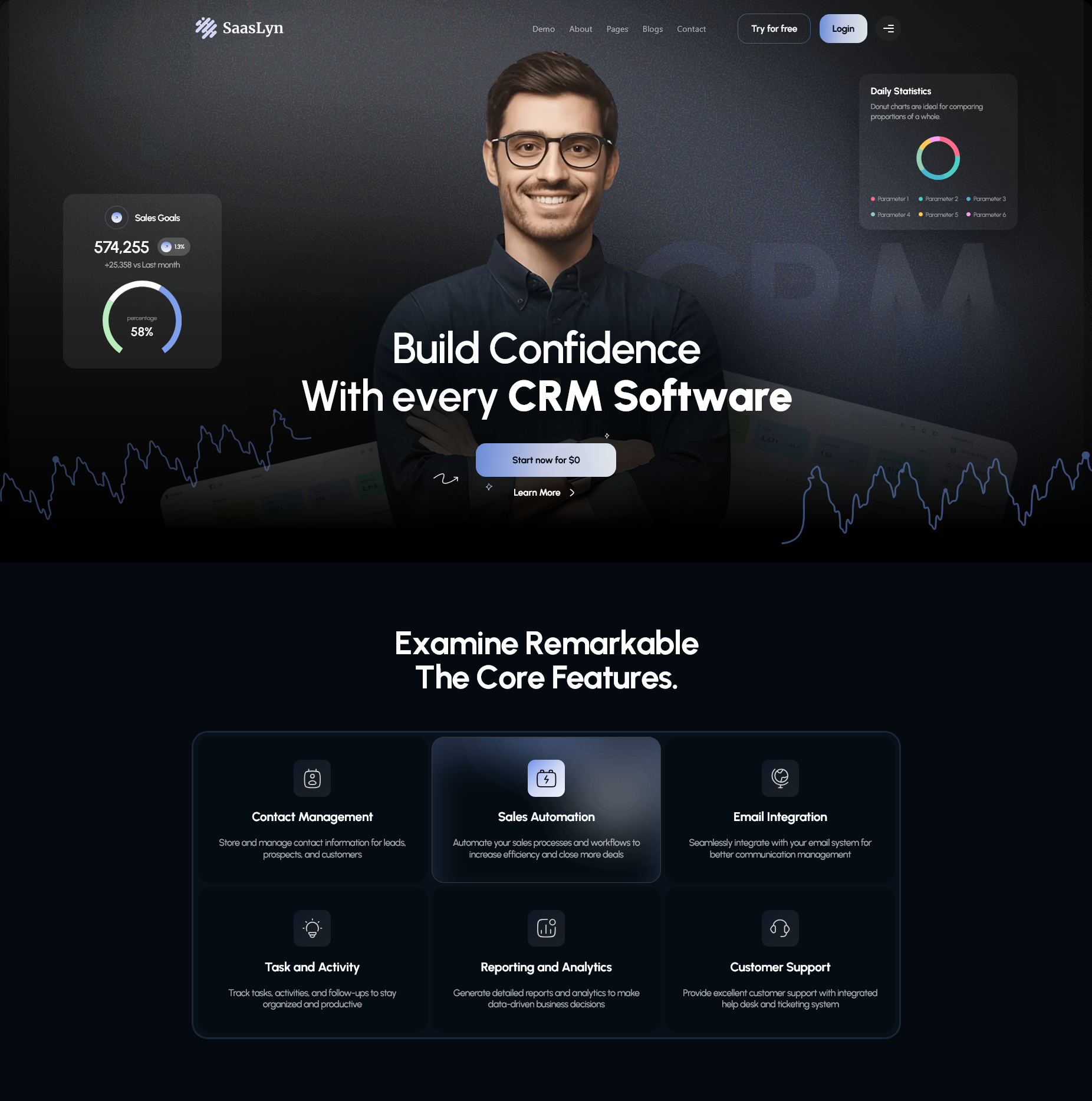
SaasLyn is a modern, component-based Next.js template built for SaaS,
AI, CRM, finance, and tech startup websites. It includes four unique
homepage demos, a complete set of inner pages, dynamic detail routes,
and a content-driven architecture that makes customization straightforward.
The template uses Next.js App Router, TypeScript,
Sass, and separates UI components from editable content files so
buyers can update copy, images, and navigation without digging through JSX markup.
Requirements
Node.js 18.18 or later (Node 20+ recommended)
npm, yarn, or pnpm
A code editor such as VS Code
Basic familiarity with React and Next.js (helpful but not required)
Installation
After downloading and extracting the package, open the
saaslyn-next folder in your editor, then run:
Open a terminal in the project root
Install dependencies: npm install
Start development server: npm run dev
Open http://localhost:3000 in your browser
Available Scripts
npm run dev – start local development server
npm run build – create production build
npm run start – run production server after build
npm run lint – run ESLint checks
Default homepage
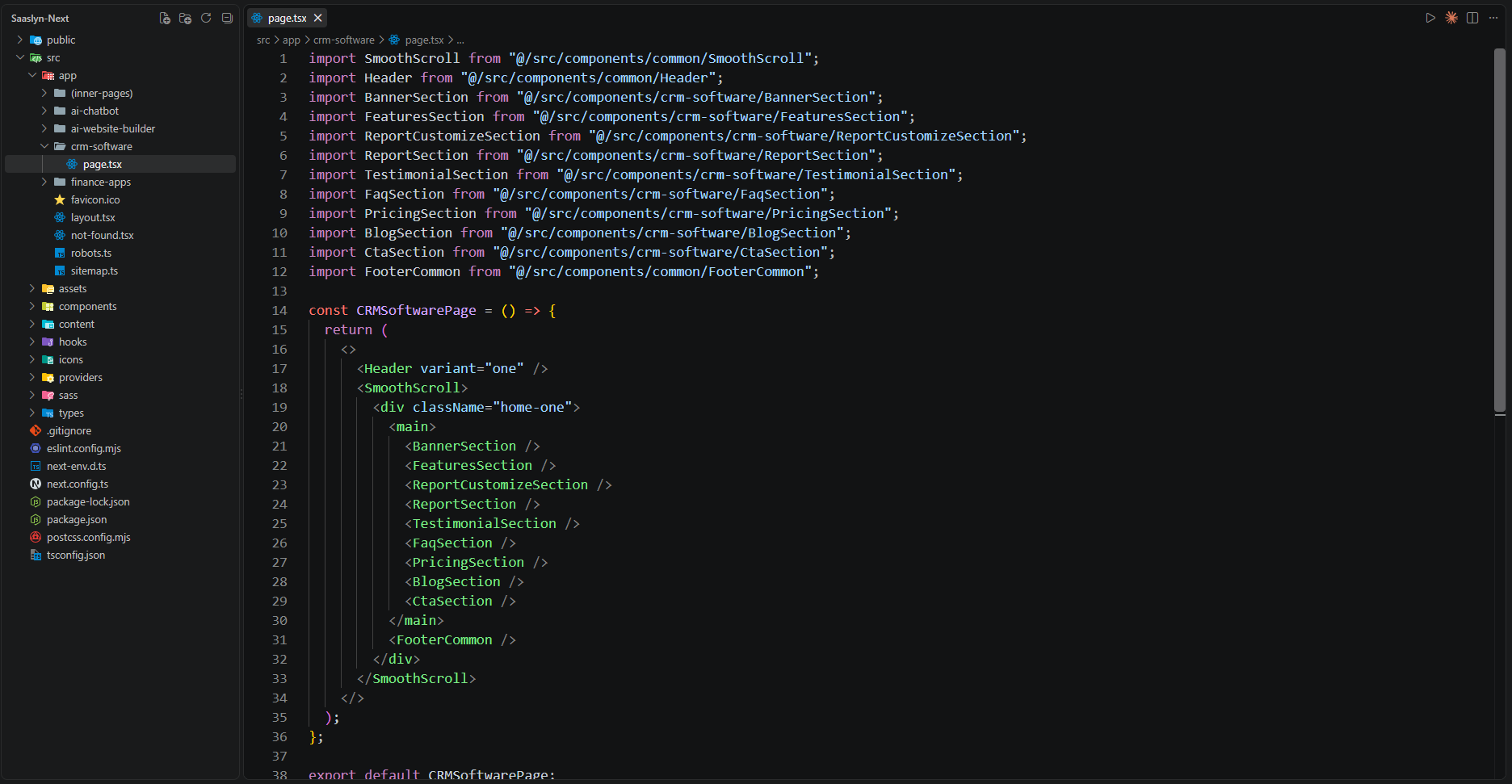
The root URL / redirects to /crm-software by default.
Change this in next.config.ts if you want a different homepage.
What's Included
After purchasing SaasLyn on ThemeForest, download the package. It contains:
Each demo has its own page file under src/app/, dedicated components
under src/components/, content under src/content/, and
optional Sass under src/sass/.
Header styles differ per demo via the variant prop on
<Header /> in each page file:
CRM Software – variant="one" (light logo on dark header)
Finance Apps – variant="two" (dark logo on light header)
AI Chatbot & AI Website Builder – variant="three"
Inner pages – variant="one" via src/app/(inner-pages)/layout.tsx
Inner Pages
/about – About page
/features – Features page
/faq – FAQ page
/contact – Contact page
/pricing – Pricing page
/service – Service listing
/service/[slug] – Service details (dynamic)
/team – Team listing
/team/[slug] – Team member details (dynamic)
/blog – Blog grid
/blog/[slug] – Blog details (dynamic)
/blog-standard – Blog standard layout
/careers – Careers listing
/careers/[slug] – Career details (dynamic)
/login – Login page
/sign-up – Sign up page
/privacy-policy – Privacy policy
/terms-condition – Terms & conditions
/404 – Custom 404 page (preview route)
Unmatched URLs also render the shared error section through
src/app/not-found.tsx (Next.js App Router 404 handler).
src/providers/ – Global providers (animations, etc.)
next.config.ts – Next.js config and legacy redirects
package.json – Dependencies and npm scripts
Content Pattern
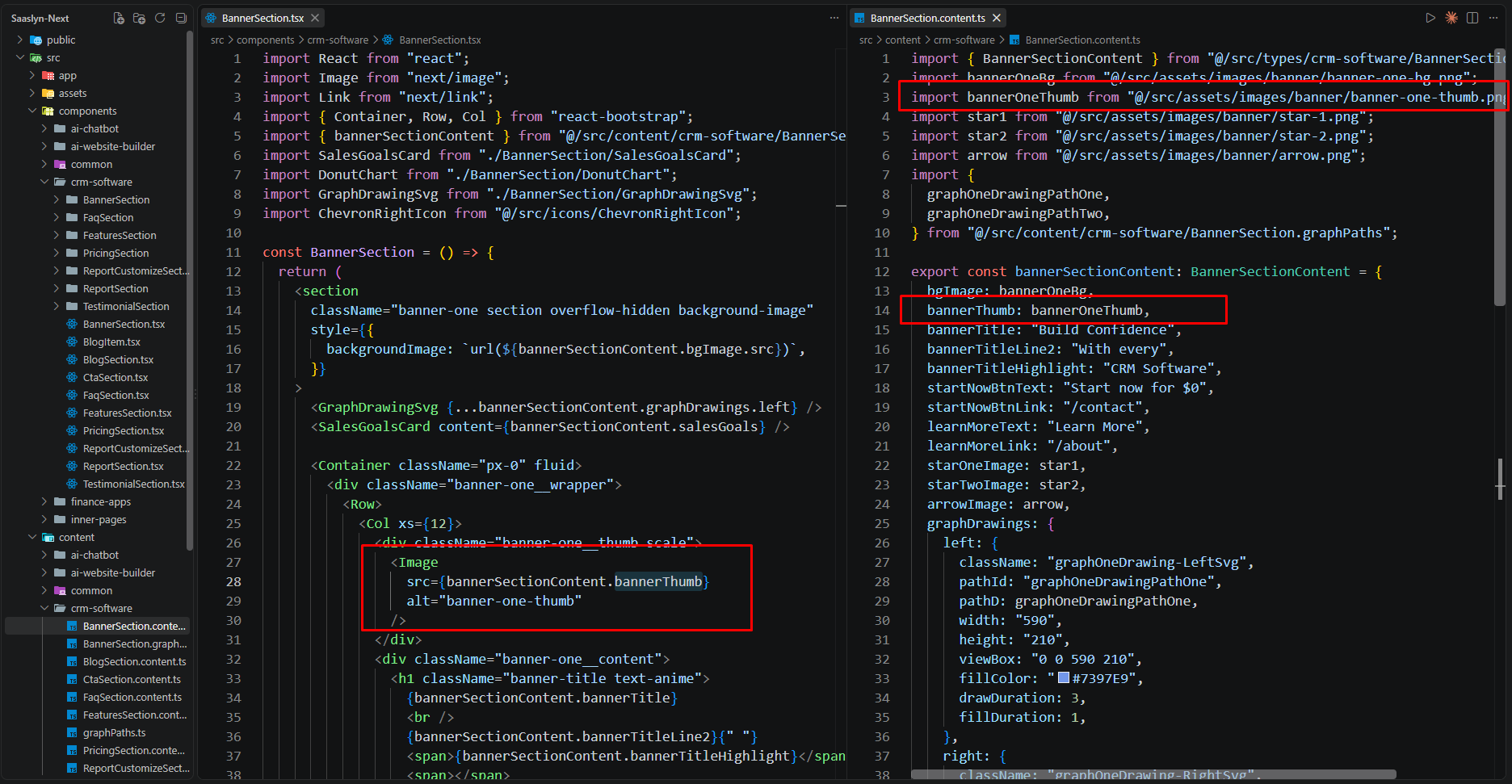
SaasLyn separates presentation from content. Each section typically has:
A component in src/components/ (UI markup)
A matching content file in src/content/ (text, images, links)
A types file in src/types/ (TypeScript shape)
Example – changing blog card text:
Open src/content/inner-pages/blog/BlogSection.content.ts
Edit title, excerpt, or link values in the exported content object
Save the file – the page updates on refresh
Example – adding a team member:
Add member data in src/content/inner-pages/team-details/TeamDetailsSection.content.ts
Add the card entry in src/content/inner-pages/team/TeamSection.content.ts
The dynamic route /team/[slug] picks up the new slug automatically
Example – adding a career opening:
Add job data in src/content/inner-pages/careers-details/CareersDetailsSection.content.ts
Add the listing entry in src/content/inner-pages/careers/CareersSection.content.ts
The dynamic route /careers/[slug] and sitemap pick up the new slug automatically
Customization
Changing Text & Links
Most visible text is stored in src/content/ files, not hard-coded in JSX.
Find the page or section you want to edit and update the exported content object.
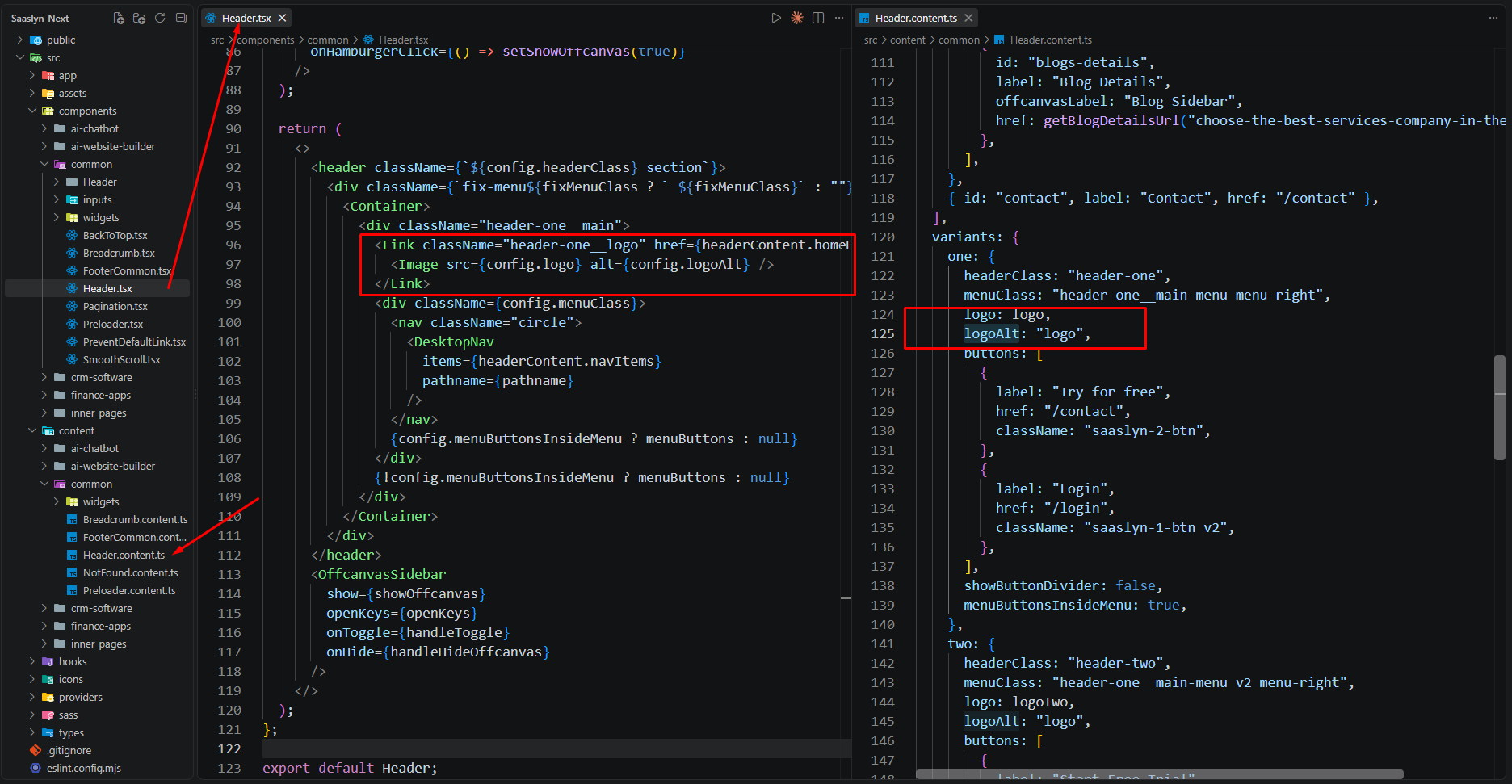
Header logo assignments are in
src/content/common/Header.content.ts
under the variants object (one, two, three)
Footer logos are in
src/content/common/FooterCommon.content.ts and demo-specific footer content files
Favicon is imported in src/app/layout.tsx from
src/assets/images/favicon.png
Changing Colors
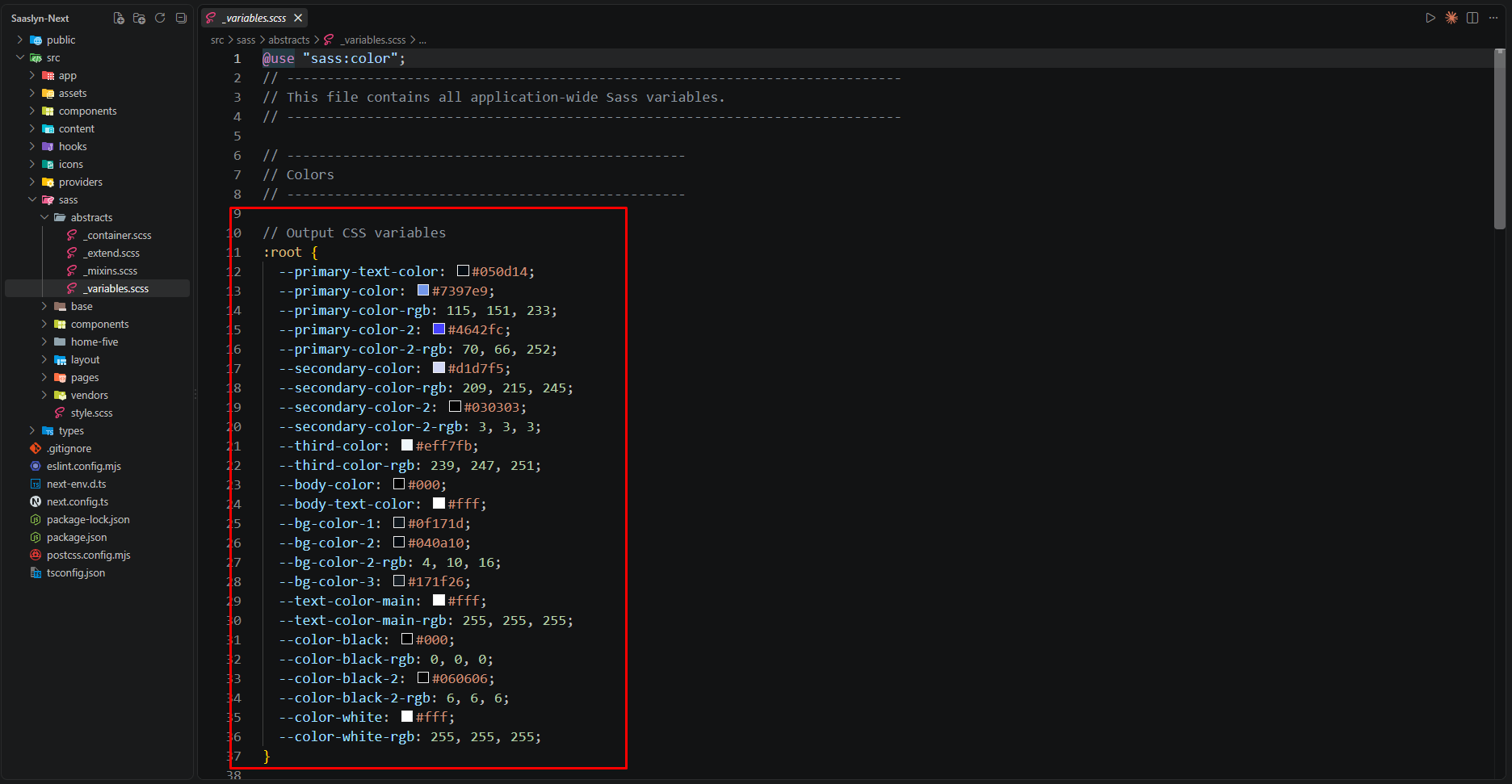
Global colors are defined as CSS custom properties in
src/sass/abstracts/_variables.scss.
The AI Website Builder demo also has theme variables in
src/sass/home-five/abstracts/_variables.scss.
Open src/sass/abstracts/_variables.scss
Edit the :root CSS variables (e.g.
--primary-color, --bg-color-1)
Save the file – Next.js recompiles Sass automatically in dev mode
Navigation & Header
Edit src/content/common/Header.content.ts to change menu items,
dropdown links, offcanvas sidebar content, and CTA buttons.
Use helper functions like getBlogDetailsUrl(),
getTeamDetailsUrl(), getServiceDetailsUrl(), and
getCareersDetailsUrl() from the respective content files when linking
to dynamic detail pages.
Build & Deploy
Run npm run build to generate the production build
Run npm run start to serve the production build locally
Deploy to Vercel, Netlify, or any Node.js host that supports Next.js
The template ships with src/app/sitemap.ts and
src/app/robots.ts for SEO. Set
NEXT_PUBLIC_SITE_URL in your environment (e.g.
https://yourdomain.com) before launch so the sitemap and robots
files use your production domain.
Production checklist
Replace demo text, logos, and images. Update metadata in
src/app/layout.tsx. Set NEXT_PUBLIC_SITE_URL for SEO.
Set your preferred default homepage redirect in
next.config.ts. Test all routes after deployment.